

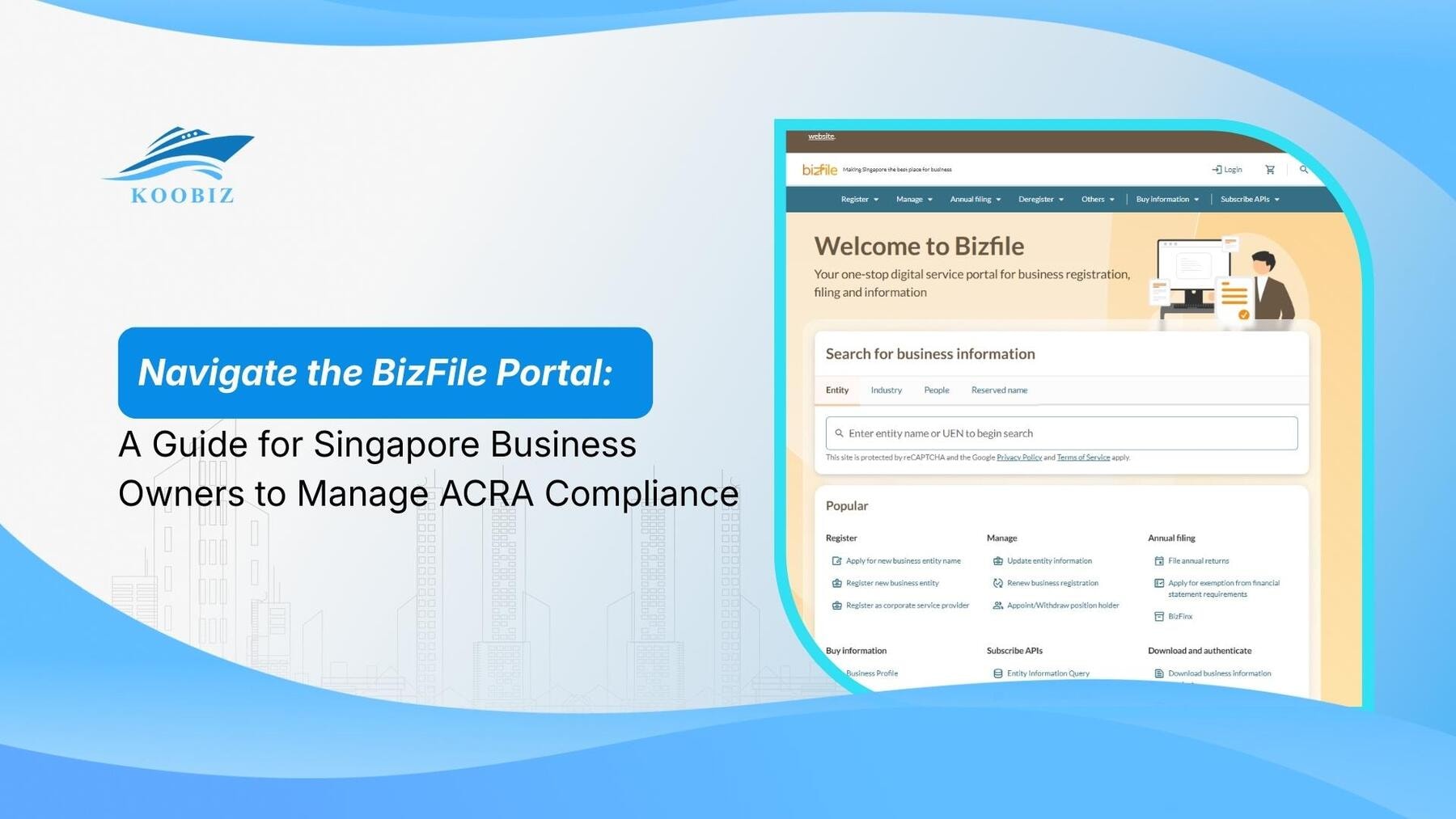
Navigating the regulatory landscape is a critical aspect of running a successful company in Singapore, and the BizFile Portal (BizFile+) sits at the very heart of this process. As the designated interface for the Accounting and Corporate Regulatory Authority (ACRA), this portal is not merely a website but the central nervous system for corporate compliance, where every statutory change, annual return, and financial statement must be recorded. Whether you are a new entrepreneur trying to understand access requirements or an experienced director managing complex filings, mastering this platform is non-negotiable.
At Koobiz, we understand that while the interface is robust, the specific procedures for logging in via Singpass, managing CorpPass roles, and executing transactions can be daunting for foreign investors and busy business owners alike. This guide serves as your comprehensive roadmap, moving from the basic “what and how” of accessing the system to the strategic comparison of self-filing versus professional delegation, ensuring your business remains compliant and penalty-free.
What is the BizFile+ Portal?
BizFile+ is ACRA’s designated electronic filing and information retrieval system serving as the central repository for all Singapore business entities to submit statutory documents and update corporate records.
BizFile+ replaces the need for physical paperwork, allowing business owners to interact directly with the government to manage their corporate entity’s lifecycle from incorporation to cessation.
Why is Using BizFile+ Mandatory for Singapore Companies?
Compliance via BizFile+ is mandatory under the Companies Act because it serves as the legally binding “single point of truth” for the public and government regarding a company’s status.
To understand its importance, we must look at its role in the broader ecosystem of Singapore’s corporate governance. Manual submissions are largely obsolete. Every time a company changes its address, appoints a new director, or declares its financial solvency, it must be reflected here. For clients at Koobiz, we often emphasize that the data on BizFile+ constitutes the legal standing of your company—if it is not on the portal, legally speaking, it hasn’t happened.
Necessary Credentials to Login to BizFile+
To access the BizFile+ portal, you must possess a valid Singpass ID and have proper authorization via CorpPass, as the system does not support direct username logins.
The system utilizes strict authentication protocols to verify that the person making changes is authorized. Specifically, you require the following credentials:
- Singpass ID: Singapore’s National Digital Identity, required for all individual logins.
- CorpPass Authorization: A digital authorization granting your Singpass account permission to act for the specific entity.
- Unique Entity Number (UEN): The identification number of the business you intend to manage.
Consequently, if you are a foreign director without a Singpass, you generally cannot log in personally and must rely on a Registered Filing Agent like Koobiz to act on your behalf.
Setting Up CorpPass for Admin and Staff Access
Setting up CorpPass involves three distinct steps: registering a CorpPass Administrator account, creating user accounts for staff, and assigning specific “ACRA E-Services” roles to those users.
Even if you have a personal Singpass, you cannot access your company’s records unless the company’s CorpPass Admin has authorized you.
- Identify the Admin: Usually the Company Secretary or a Director.
- Select Services: The Admin must log in to the CorpPass portal and select “ACRA” from the list of e-services.
- Assign Roles: Assign “Filer” or “Viewer” rights to specific employees. Without this assignment, a staff member logging in with their Singpass will see a “No Access” error.
Key Compliance Transactions Available on the BizFile Dashboard
Business owners primarily use the dashboard for three critical functions: filing annual returns, updating company particulars, and purchasing business profiles.
Located primarily under the “Local Company” section of the dashboard, mastering these three areas ensures you meet statutory deadlines and maintain accurate public records.
1. Filing Annual Returns (AR) and Annual General Meetings (AGM)
Filing an Annual Return requires confirming the company’s details, AGM date, and attaching financial statements within 30 days of the Annual General Meeting.
This is the most critical event on the portal. You must verify that your financial statements are prepared before navigating to the “File Annual Return” tab. For solvent exempt private companies (EPCs), the process is simplified, but for others, accurate financial data input is crucial to avoid penalties.
2. Updating Company Information and Officers
Updating company information involves selecting “Change in Company Information” for addresses or “Change in Officers” for appointments and resignations.
By law, changes must be lodged within 14 days. Whether you are moving offices or accepting a director’s resignation, the update is not legally effective until the transaction fee is paid and recorded here. Koobiz advises immediate updates to prevent discrepancies between internal records and public data.
3. Buying Business Profiles and Other Information
Buying a Business Profile involves searching for the entity by UEN, selecting the “Business Profile” product, and paying for an instant PDF download.
This document is essential for opening bank accounts or signing contracts. For a nominal fee (usually SGD 5.50), it provides a verified snapshot of the company’s existence, directors, and shareholders at that exact moment.
Self-Filing vs. Engaging a Registered Filing Agent: Which Approach Suits You?
Self-filing wins on cost efficiency for simple structures with local directors, while engaging a Registered Filing Agent excels in compliance accuracy and liability management for complex entities.
. The table below outlines the key differences to help you decide:
| Feature | Self-Filing | Registered Filing Agent (RFA) |
|---|---|---|
| Best Suited For | Small, dormant, or exempt private companies with local directors. | Companies with foreign directors, complex structures, or those subject to audit. |
| Primary Benefit | Cost efficiency (saves on service fees). | Compliance accuracy and reduced administrative burden. |
| Responsibility | The director bears the entire burden of accuracy. | Professionals (like Koobiz) manage semantic and legal requirements. |
| Access | Requires personal Singpass and CorpPass setup. | Agents use their own accredited access to file on your behalf. |
Agents like Koobiz are accredited by ACRA to access the portal on your behalf. We carry professional liability and ensure that filings meet the strict requirements of the Companies Act, effectively outsourcing the stress of compliance.
How to Manage Advanced Administrative Functions in BizFile+
Beyond basic filings, the portal handles advanced administrative functions ranging from rectifying errors in previous submissions to managing complex financial reporting formats like XBRL.
While most users stick to the basics, the BizFile portal contains powerful tools for handling “edge cases” or non-standard situations. Understanding these capabilities distinguishes a novice user from a proficient administrator.
Understanding XBRL Filing Requirements for Solvent Companies
XBRL (eXtensible Business Reporting Language) is a mandatory financial reporting format for Singapore companies (unless exempted) that requires financial statements to be tagged with specific data elements for machine reading.
Specifically, while small EPCs might file simplified returns, larger companies must upload their financials in XBRL format. This is not a simple PDF upload; it requires preparing the data using ACRA’s BizFinx preparation tool before logging into BizFile+. The portal will reject filings that do not meet the validation logic of the XBRL taxonomy. This is a common stumbling block where Koobiz often steps in to assist clients in converting their standard accounts into this compliant digital language.
How to Rectify Errors in Submitted Filings?
Rectifying errors requires lodging a “Notice of Error” or applying for a Court Order under Section 402, depending on whether the mistake is clerical or substantive.
If you accidentally typed the wrong address or date, you cannot simply “delete” the old filing. For minor typographical errors, BizFile+ offers a rectification transaction. However, for substantive errors that affect the company’s legal status, the process is more rigorous and may require an explanation or a court order. This feature ensures the integrity of the register, preventing companies from quietly altering historical records without a trail.
Handling Late Lodgment Fees and Composition Sums
Handling penalties involves accessing the “Compliance” section to view outstanding enforcement actions and paying the Composition Sum to resolve the breach without court prosecution.
If a filing is late, ACRA automatically imposes a late lodgment penalty. These will appear in the dashboard. Users can pay these fines directly through the portal using credit card or GIRO. Prompt payment is crucial because ignoring these notifications can escalate to court summonses for the directors.
BizFile+ vs. GoBusiness: What is the Difference?
BizFile+ is the repository for corporate registration and regulatory compliance, whereas GoBusiness is the integrated platform for licensing, grants, and government permits.
It is easy to confuse the two government portals. The table below clarifies their distinct roles:
| Feature | BizFile+ (ACRA) | GoBusiness |
|---|---|---|
| Core Purpose | Existence: Establishes and maintains the legal entity. | Operation: Manages permissions to run specific activities. |
| Primary Function | Corporate Registration & Regulatory Compliance. | Licensing, Grants, and Government Permits. |
| Key Transactions | Incorporation, Director updates, Annual Returns. | Food Shop License, Productivity Grants, SME assistance. |
| Relationship | Generates the UEN (Unique Entity Number). | Uses the UEN to apply for operational needs. |
While they are linked—you often need your BizFile+ UEN to login to GoBusiness—their functions are distinct. You register your entity on BizFile+, but you apply for the permission to run specific business activities on GoBusiness.
About Koobiz
Navigating the BizFile portal effectively is just one component of maintaining a successful business in Singapore. At Koobiz, we specialize in simplifying this process for you. From Singapore company incorporation to providing Registered Filing Agent services, we handle the technicalities so you can focus on growth. Additionally, we offer comprehensive support for opening corporate bank accounts in Singapore, along with tax, accounting, and audit services.
Ensure your compliance is in safe hands. Visit us at koobiz.com to learn how we can assist your business today.