

Planning a trip to China can feel overwhelming for Singaporeans, especially when you discover that cash is rarely used. If you’re worried about how to pay for things without a local bank account, this guide is for you.
The good news is that you no longer need a Chinese bank account or to carry large amounts of cash. This guide will clearly explain how to set up Alipay from Singapore, verify your identity, and link your cards. We’ll also cover important tips on fees and limits to help you manage your spending efficiently.
Can Singaporeans Use Alipay Without a China Bank Account?
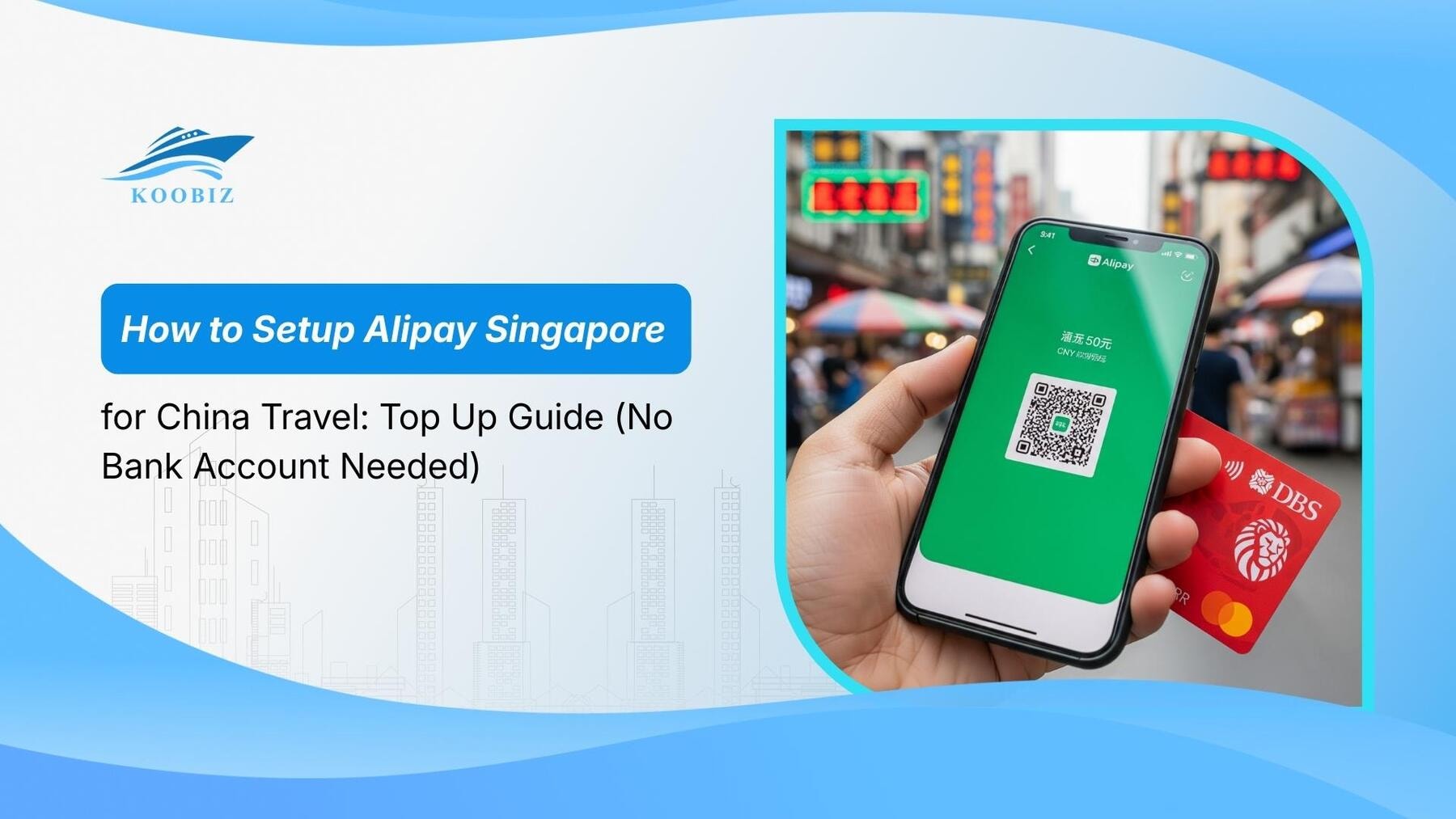
Yes, Singaporeans can absolutely use Alipay in China without a China bank account thanks to the “International Version” update that allows direct linking of foreign credit cards.
To clarify this significant change, specifically for our clients at Koobiz who travel for business, Alipay has evolved from a closed-loop system to an open platform for international travelers. Previously, foreigners had to rely on a “Tour Pass” (a temporary prepaid card), but now the system supports “Direct Binding.” This means you can pay for things in China, and the app will charge your Singapore card directly for each transaction—no Chinese bank account is necessary.
Step-by-Step: How to Register and Verify Alipay Singapore
It’s best to get the app ready before your trip to avoid any connectivity issues when you arrive.
Phase 1: Download the International Version
- Search: Search for “Alipay” in your phone’s app store (Apple App Store or Google Play Store).
- Identify: Look for the app with a blue icon featuring the Chinese character ‘支’. There is only one main Alipay app.
- Download and install it: The app will automatically detect your Singapore (+65) number and show the international interface in English.
Phase 2: Register Account
- Open the app and sign up using your Singapore mobile number.
- Verify your number with the one-time password (OTP) sent via SMS.
Phase 3: Verify Identity (Real-name Verification)
To make payments, you must complete “Real-name Verification.”
- Navigate: Go to “Account” or “Me” settings in the bottom right corner.
- Select Region: Find the verification section and select Singapore as your region.
- Face & Passport Scan: Follow the instructions to scan the photo page of your Singapore passport and complete a quick facial recognition scan.
- Wait for Approval: Approval is usually instant or within 24 hours
You cannot pay merchants until this step is done.
How to Top Up Alipay: Linking Singapore Credit & Debit Cards
There are two primary ways to fund your spending: linking standard Singapore bank cards (DBS/POSB, OCBC, UOB) or using multi-currency travel wallets like YouTrip and Wise.
Think of this as “linking” rather than “topping up.” Your card is charged directly during payment.
Adding Local Bank Cards (DBS, OCBC, UOB)
You can easily add your everyday Singapore credit or debit cards to the platform.
- Open Alipay and tap on “Bank Cards” or “Add Card”.
- Enter the details of your Singapore-issued Visa, Mastercard, Amex, etc.
- Authorize the link with an OTP from your bank.
- Note: Your bank will convert CNY to SGD and may add a foreign transaction fee (often around 3.25%) and a less favourable exchange rate.
Using Multi-Currency Cards (YouTrip, Wise, Revolut)
To save on the bank fees mentioned above, Koobiz strongly recommends using multi-currency cards like YouTrip, Wise, or Revolut.
- Why use them? These cards typically offer much better exchange rates and lower fees.
- How to setup: The process is identical to adding a bank card. Enter your YouTrip/Wise card number.
- Strategic Tip: Just ensure you have enough SGD in the wallet to cover your spending.
- Pro Tip (Fee Hack): Also check the “Changi Pay” option within the iChangi app, which uses the Alipay+ network and sometimes waives the 3% fee even for larger transactions.
How to Make Payments in China Using Alipay?
Making payments in China involves two distinct methods: “Merchant Scans You” (for large stores) and “You Scan Merchant” (for small vendors/taxis).
Understanding the difference between these two modes is vital for a seamless checkout experience. Critical: Ensure you have an active internet connection (Roaming or eSIM) as “You Scan Merchant” requires data to load the payment page.
Merchant Scans You vs. You Scan Merchant
| Feature | Merchant Scans You (B-Scan-C) | You Scan Merchant (C-Scan-B) |
|---|---|---|
| Typical Locations | Supermarkets, convenience stores (FamilyMart, 7-Eleven), subway stations. | Street food stalls, wet markets, taxis. |
| How to Pay | Tap “Pay/Receive” to generate your personal QR code. | Tap “Scan” and point camera at the merchant’s printed QR code. |
| The Process | The cashier scans your phone screen with their gun scanner. | You enter the amount in RMB yourself and confirm the payment. |
| Requirements | No PIN is usually required for small amounts. | Requires an active internet connection on your phone. |
Contextual Border:
Now that you have successfully set up your account and linked your cards, you are ready to spend. However, being a smart traveler means understanding the hidden costs. The next section details the fees, limits, and potential issues you might face, ensuring you don’t get caught off guard by unexpected charges.
Understanding Fees, Limits, and Exchange Rates
Financial management on Alipay revolves around the critical “200 RMB Rule” and understanding the specific yearly transaction limits imposed on international users.
At Koobiz, where we handle corporate finance and tax services, we emphasize cost efficiency. For personal travel, the same principle applies—avoiding unnecessary transaction fees.
What is the 3% Transaction Fee Rule?
Alipay charges a 3% transaction fee on international cards for single transactions exceeding 200 CNY (approx. 37 SGD).
- Below 200 CNY: Free
- Above 200 CNY: You pay a 3% fee on the entire amount. For example, if you pay 201 CNY, the fee is applied to the full 201 CNY, not just the excess 1 CNY.
- Strategy: For a purchase of, say, 350 CNY, you can ask the merchant to split it into two separate payments (e.g., 175 CNY each) to avoid the fee.
Payment Limits for International Users
Great news for travelers: In March 2024, China significantly increased transaction limits for international travelers.
- Single Transaction Limit: Raised to approx. 36,000 CNY (USD $5,000).
- Annual Cumulative Limit: Raised to approx. 360,000 CNY (USD $50,000).
- Note: While Alipay allows these high limits, your Singapore bank or card issuer (e.g., YouTrip, Wise) may still have its own daily overseas spending limits. Check your banking app settings before you travel.
- TourCard (Last Resort): The “TourCard” mini-app (prepaid Bank of Shanghai card) is now considered a Plan B or last resort. It has a much lower lifetime limit of 10,000 CNY and charges a 5% top-up fee. Only use this if direct card linking fails completely.
Real-Life Case Study: Alex’s Trip to Shanghai
To illustrate how these rules affect your wallet, let’s look at a hypothetical spending diary of “Alex,” a Singaporean traveler using a linked YouTrip card.
Scenario A: The Morning Coffee Run
- Transaction: Alex buys a coffee and a sandwich at a FamilyMart.
- Cost: 45 CNY.
- Outcome: Since 45 CNY is under the 200 CNY threshold, Alipay charges 0% fee.
- Total Cost: His YouTrip card is deducted exactly 45 CNY worth of SGD (at YouTrip’s exchange rate).
Scenario B: The Business Dinner
- Transaction: Alex treats his team to a hotpot dinner.
- Cost: 500 CNY.
- Outcome: This exceeds the 200 CNY limit. Alipay applies a 3% fee on the full amount.
- Calculation: 500 CNY x 3% = 15 CNY fee.
- Total Cost: His card is charged 515 CNY (500 for the merchant + 15 for Alipay).
Scenario C: The “Smart” Souvenir Purchase
- Transaction: Alex buys gifts at a shop totaling 350 CNY.
- Smart Move: Instead of paying 350 CNY at once (which would incur a 10.5 CNY fee), Alex asks the merchant to scan his QR code twice.
- Split Payment: He pays 175 CNY first, then another 175 CNY.
- Outcome: Both transactions are individually under 200 CNY.
- Total Cost: 350 CNY. Fee: 0 CNY.
Troubleshooting and Alternatives
While Alipay is robust, it is wise to prepare for refunds, consider backup apps like WeChat Pay, and know what to do if your account freezes.
Technology can fail, and having a contingency plan is the hallmark of a seasoned traveler.
How to Process Refunds to Singapore Cards?
Refunds on Alipay are reliable but not instant for international cards.
If you request a refund (e.g., for a cancelled Didi ride or returned goods), the RMB amount is credited back to Alipay instantly, but the transfer back to your Singapore credit card takes 7 to 14 business days. The exchange rate used for the refund might differ slightly from the purchase rate due to currency fluctuations.
Alipay vs. WeChat Pay: Do You Need Both?
Alipay wins on user-friendliness for foreigners, but WeChat Pay is superior in social integration. While having both is the optimal strategy, here is how they compare:
| Feature | Alipay | WeChat Pay |
|---|---|---|
| Best For | International travelers & Foreigners | Social interaction & Communication with vendors |
| Interface | Better English support, user-friendly | Integrated with chat, essential for local life |
| Card Acceptance | Higher acceptance rate for international cards | Widely accepted, but specific small merchants prefer it |
| Koobiz Strategy | Use as your Primary Driver | Keep as a Backup (“Spare Tyre”) |
What to Do If Your Account Is Frozen?
In rare cases, Alipay’s risk system might flag a transaction as suspicious and temporarily freeze your payment ability. If this happens, follow these steps to restore access:
- Stay Calm & Check Status: Go to “Me” > “Settings” > “Account and Security” > “Security Center” > “Restrictions” to see the specific reason.
- Use the “Help Center”: Navigate to the in-app Customer Service. You can type “Human” or “Live Chat” to request an English-speaking agent (usually available 8 AM – 12 AM UTC+8).
- Prepare Documents: Be ready to upload a clear photo of the credit card used for the transaction and a bank statement proving ownership.
- Hotline Alternative: If the app is inaccessible, you can call the Alipay international hotline at +86 571 2688 6000.
Frequently Asked Questions (FAQ)
Can I use my American Express (Amex) card?
Yes! Alipay now officially supports Amex, so you can link it directly and earn rewards points.
Do I need a VPN to use Alipay in China?
No. Alipay works perfectly in China without a VPN. You only need a VPN if you want to access certain Singapore-based apps or websites that are restricted.
Is “TourCard” the same as direct card linking?
Generally, no. Since you can now link cards directly with high limits, the TourCard (which has a 5% top-up fee) is considered a last-resort option if direct linking fails for some reason.
Navigating the financial landscape of a foreign country requires preparation and the right knowledge. Just as Koobiz simplifies the complex world of Singapore company incorporation, accounting, and tax filing for businesses, we hope this guide simplifies your travel payments in China.
Whether you are a business owner looking to expand into Singapore or an individual managing cross-border assets, Koobiz provides professional support for opening Singapore bank accounts, corporate secretary services, and tax compliance.
Visit Koobiz.com to learn more about our comprehensive corporate services.